Vacation & Time Off
Requesting time off, checking balance, and manager approvals
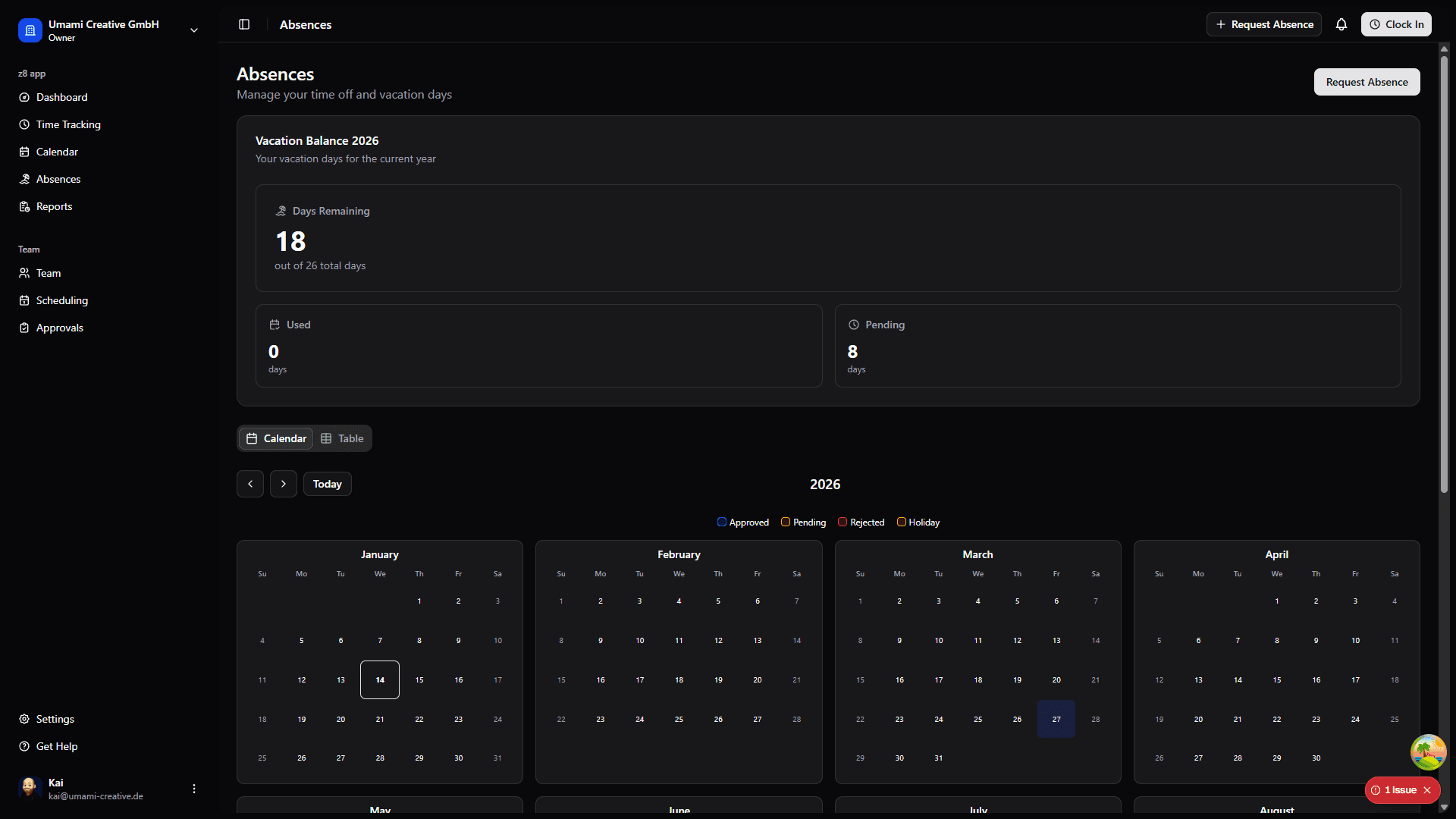
Requesting Time Off
Go to Absences → "Request Time Off"
Fill in the form:
- Start Date - When your time off begins
- End Date - When you return to work
- Type - Vacation, sick leave, personal day, etc.
- Reason - Brief explanation (optional but recommended)
Click "Submit Request"
Your manager(s) will be notified and can approve or deny the request.
Requesting Time Off on Mobile
You can also manage your own absences in the mobile app:
Open Absences in the mobile app.
Tap Request Absence.
Enter the category, start date, end date, day periods, and optional notes.
Submit the request and return to the list to track its status.
Mobile Absence List
The mobile app groups your absences into Upcoming, Pending, and Past views. Pending requests can be cancelled directly from the list.
Planning with Holidays
When holidays affect your absence period, Z8 can show holiday context directly in the planning view. Holiday names and assigned holiday calendars help you understand which days count against your balance.
Use the preview before submitting a request. It can help you check balance impact, schedule conflicts, and coverage risk before the request reaches a manager.
On mobile, holiday information should remain visible near the affected absence dates so you do not need to compare separate calendar screens.
Checking Request Status
Go to Absences
View the "My Requests" tab
Check the status indicators:
- Pending - Awaiting manager approval
- Approved - Approved by your manager
- Denied - Not approved (reason included)
Vacation Balance
Your vacation allowance is calculated based on:
- Organization policy (default days per year)
- Your work schedule (full-time vs part-time)
- Carryover from previous year
- Any manual adjustments (bonuses, etc.)
Go to Absences → "My Allowance"
You'll see:
- Annual days granted
- Days carried over
- Adjustments (if any)
- Days used this year
- Remaining balance
Approvals (For Managers)
If you're a manager, you have additional responsibilities and permissions.
Accessing Approvals
Go to Approvals from the main navigation
You'll see two tabs:
- Absence Requests - Time-off requests
- Time Corrections - Time entry corrections
Reviewing Requests
See dates, reason, and employee information before making a decision.
Best Practices for Managers
Manager Tips
- Review requests promptly - Employees plan based on approvals
- Be fair and consistent - Apply the same standards to all team members
- Provide reasons for denials - Help employees understand decisions
- Check team coverage - Ensure adequate staffing before approving
- Communicate - Talk to employees about complex scheduling issues